Categories: Tools
DECAL COLLIDER – Ultimate Runtime Mesh & Collision Decals v1.1.2 - Free Download
Description
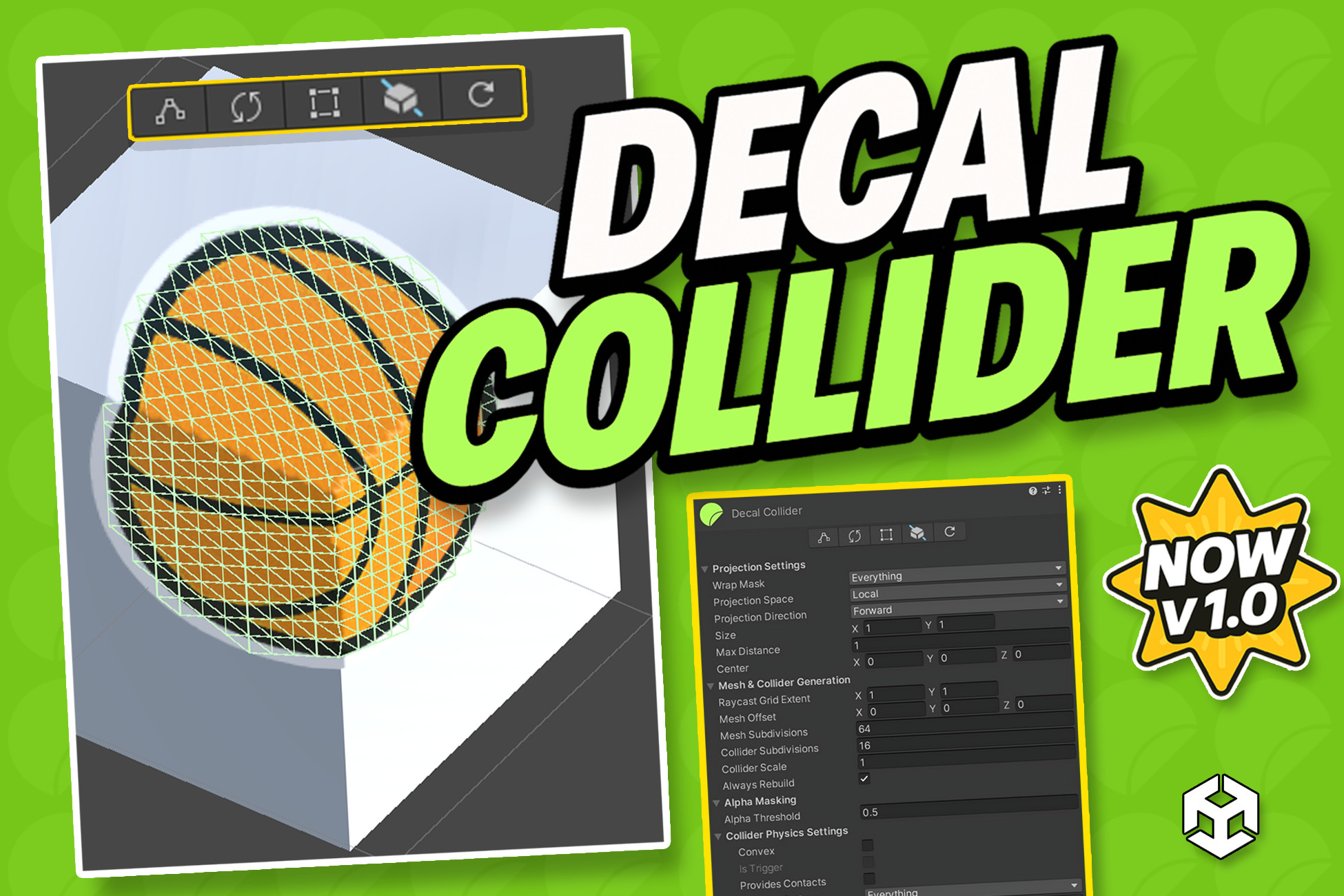
Decal Collider is a production-focused Unity tool for creating projected decals that include both a visual mesh and a matching physics collider, with strong support for runtime updates, Sprite/TMP workflows, and Built-in/URP/HDRP pipelines.
As projects grow, decal workflows can become fragile: projection gaps, invalid collider meshes, runtime sync issues on animated content, and heavy rebuild costs.
Decal Collider gives you a single, clean pipeline to keep decal visuals and physics consistent.
✨ Better visual-to-physics consistency
✨ Safer runtime behavior for complex meshes
✨ Faster iteration (project -> tweak -> rebuild -> test)
🛠️ How It Works
- Scans source data (Mesh, SpriteRenderer, or TextMeshPro)
- Projects decal geometry onto target surfaces (18+ directions)
- Builds procedural decal mesh + matching collider
- Applies optional alpha trimming/masking to keep only visible collision areas
- Supports runtime/live updates with controlled rebuild frequency
- Outputs detailed stats for optimization decisions
🎯 Projection + Collider in One Workflow
- Generate visual decal mesh and physics collider together
- Local/world projection control with multi-direction support
- Triplanar and sphere-friendly projection options
🖼️ Sprite + TextMeshPro Support
- Sprite swap/flip aware projection
- Dynamic TMP source support with automatic refresh when content changes
- Stable source detection during mode switches
🔄 Runtime Update System
- Live update interval controls
- Async rebuild API support to reduce frame spikes
- Runtime-safe refresh path for frequently changing decals
🧬 Projection Mask Logic
- Masks empty regions when rays partially hit surfaces
- Keeps source fully visible when no hit occurs (void-safe fallback)
🧯 Physics Safety Layer
- PhysX 5-safe mesh assignment path
- Invalid/zero-volume mesh validation before collider apply
- Safe fallback behavior to avoid collider cooking failures
📊 Stats + Analysis
- Before/after mesh stats and timing data
- Hit ratio and projection diagnostics
- Inspector-side analysis for fast tuning
🧩 Performance Controls
- Cache-friendly rebuild flow
- Optional culling/visibility-based update reductions
- Runtime behavior tuned for larger scenes
📚 API + Tooling
- Public API for automation/integration
- Hit callback hooks for gameplay effects
- Editor tooling, presets, quick actions, and example scenes
📋 Requirements
- Unity 2022.3 LTS or newer (recommended: Unity 6)
- TextMeshPro for TMP-based decal sources
- Works in both Editor and Runtime workflows
🌐 Render Pipelines
- Built-in RP
- URP
- HDRP
💻 Supported Platforms
- Editor: Windows / macOS / Linux
- Runtime Builds: All Unity-supported platforms (PC / Mobile / Console)
🌍 Support & Community
- Join our Discord for support, tips, and update announcements.
- Full documentation included with a quick-start guide.
If Decal Collider improves your workflow, please consider leaving a review.