Categories: Tools
Transform Tools v2.2.5 - Free Download
Description
Transform Tools - Advanced Scene Layout & Pivot Editing
Take total control of your scene layout.Transform Tools is the ultimate editor extension designed to eliminate the tedious manual adjustment of GameObjects. Whether you are building complex 3D environments, organizing UI elements, or arranging 2D sprites, this production-ready suite brings the precision of professional design software (like Illustrator or Photoshop) directly into the Unity Editor.
🛡️ Production-Grade Support
Built for serious development, Transform Tools is actively maintained with consistent updates. Join our active Discord community for direct support. You can expect an initial response to any inquiry within 24 hours, whether it's a quick answer to a workflow question or the start of hands-on troubleshooting for reported issues.
Documentation | Support Forum | Discord Server
🛠️ Core Features & Benefits
Advanced Pivot Editing & Physics
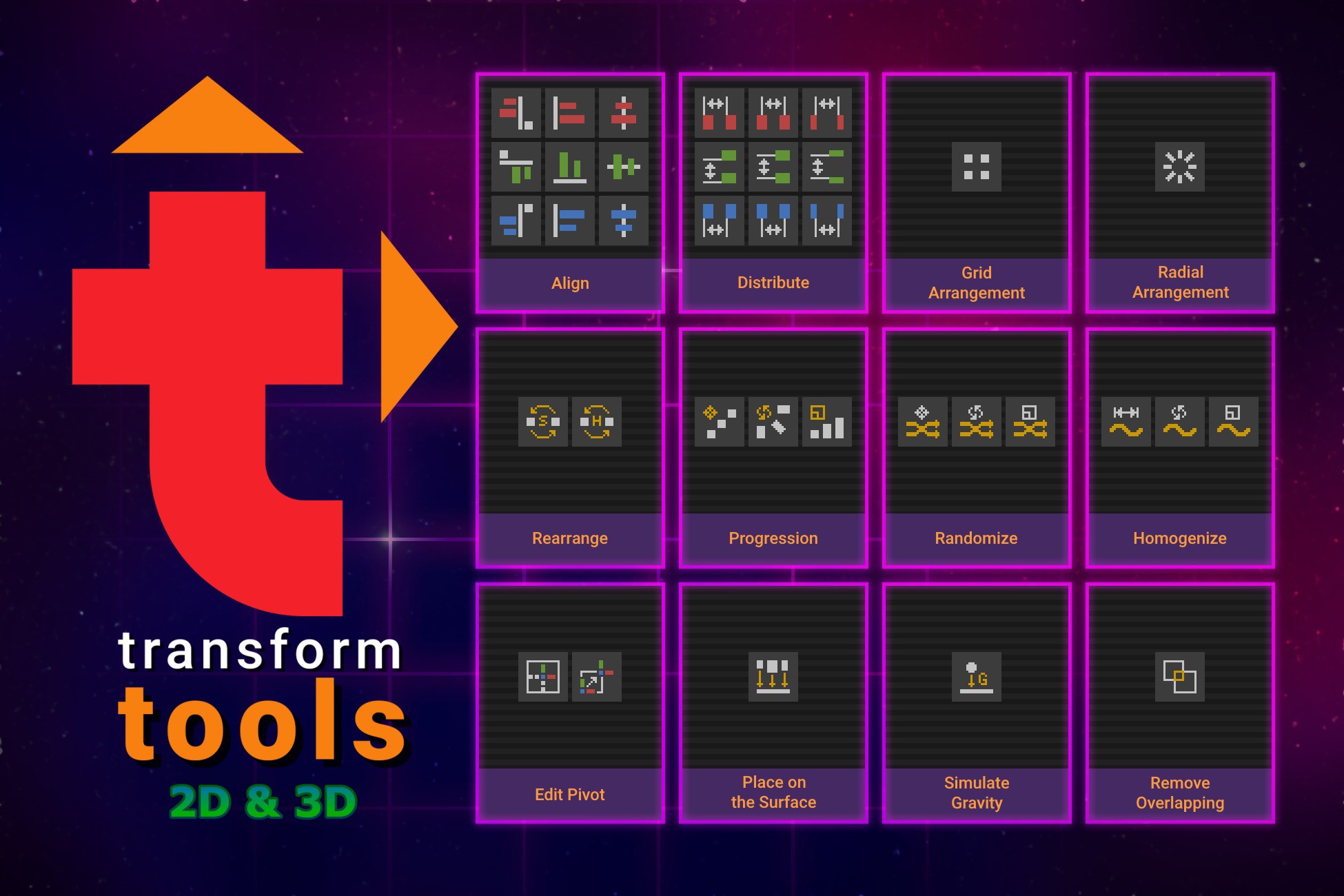
- Edit Pivot: Permanently modify the pivot position and rotation for 3D meshes, sprites, and UI elements. The tool automatically recalculates UVs and surface normals to preserve your textures flawlessly, while maintaining the original orientation of colliders and NavMesh obstacles.
- Simulate Gravity: Instantly drop existing floating objects into place using physics for natural, organic resting positions.
Precision Alignment & Distribution
- Align & Distribute: Bring vector-software precision to 3D space. Instantly align objects to each other or distribute them evenly across any axis with a single click.
- Remove Overlapping: Clean up cluttered scenes instantly. Automatically push intersecting objects apart just enough to clear overlaps.
Arrangement & Spacing
- Grid & Radial Arrangements: Instantly snap your selections into precise 3D grids, or arrange them in perfect mathematical patterns like arcs, circles, ellipses, and spirals.
- Progressions: Create perfect staircases, scaling tunnels, or twisting arrays by applying incremental changes to the scale, rotation, and position across your selection.
- Homogenize: Smooth out messy scenes by evening out the spacing, rotations, or scale values across a group of objects to make them perfectly uniform.
Randomization & Surface Placement
- Place on Surface: Snap floating objects down to the nearest surface mesh or terrain based on your defined direction.
- Randomize & Rearrange: Break up repetitive patterns by adding controlled randomness to transforms, or instantly swap the positions of selected items.